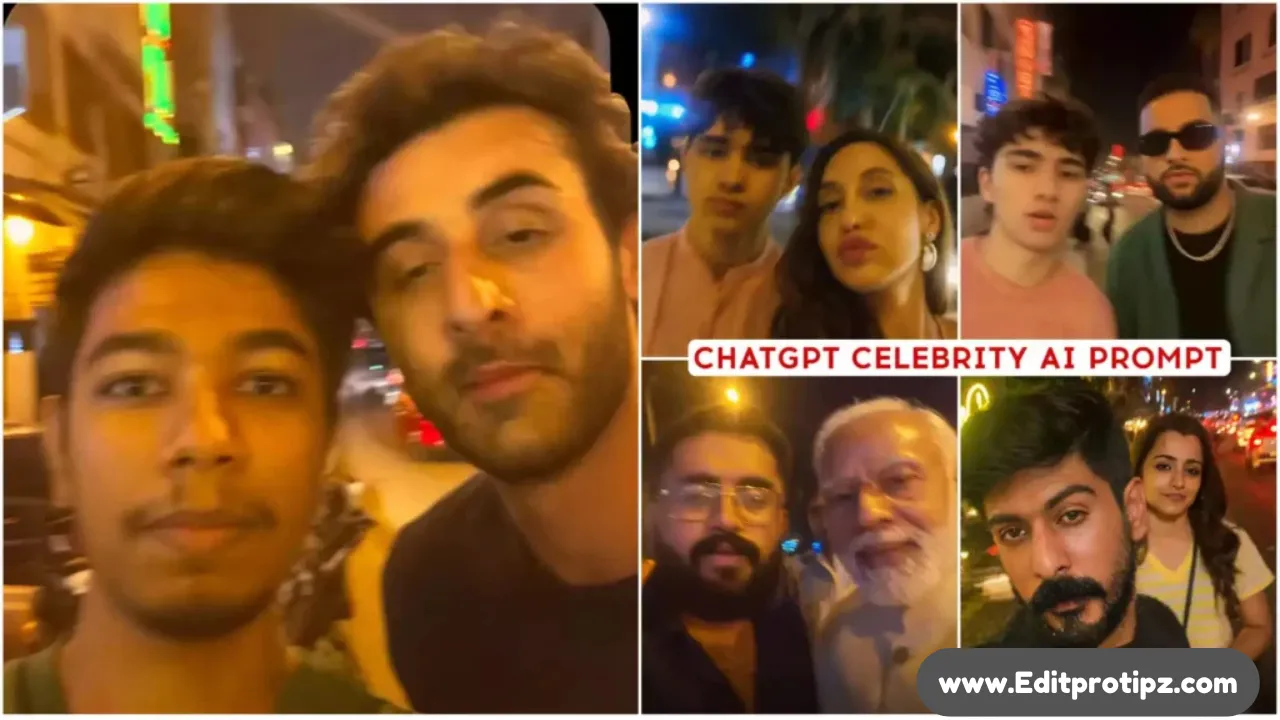
These days, some images are going so viral that it’s hard to believe whether they’re real or AI-generated. Even I was surprised when I saw them! The current trend is all about AI-generated selfies with celebrities and they look incredibly realistic. In these photos, it looks like you’re standing right next to your favorite celebrity, smiling for a casual selfie. What’s amazing is that this can now be created easily with AI tools. Earlier, we could only create something similar by entering a name, and even then, the result didn’t look very natural the characters appeared separate or fake. But now, it’s almost like magic!
But now, we can create these images using our actual photo and face, making it look just like we took a real selfie with a celebrity during an evening outing. The results are so realistic that no one can tell it’s AI-generated and that’s exactly why it’s becoming so popular! The good news is, you can also make these kinds of images very easily. In this post, I’ll share the complete step-by-step details on how to do it.
Details – Chatgpt Selfie With Celebrity Ai Photo Editing Prompt 2025
As I mentioned earlier, we’re going to create a selfie with a celebrity and in this article, I’ll guide you through the entire process. Let’s first talk about the kind of image we’re generating. The photo is designed to look like it was taken during the evening, with a soft, aesthetic vibe. Since the lighting is a bit dim, just like in real evening-time selfies, it becomes difficult to tell whether the image is AI-generated or genuinely clicked. This realistic touch has caused many of these images to go viral, sparking a lot of interest and excitement among people.
To help you create such a photo yourself, I’ll be sharing every single step in detail. From setup to final result, everything will be covered so you can make your own realistic celebrity selfie. I’ll also include different types of prompt examples to help you get the perfect look every time.
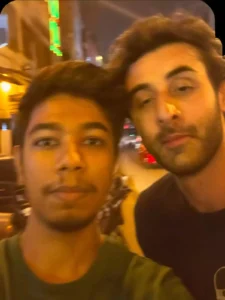
Take an extremely ordinary and unremarkable iPhone selfie, with no clear subject or sense of composition-just a quick accidental snapshot. The photo has slight motion blur and uneven lighting from streetlights or indoor lamps, causing mild overexposure in some areas. The angle is awkward and the framing is messy, giving the picture a deliberately mediocre feel, as if it was taken absentmindedly while pulling the phone from a pocket. The main character is [ uploaded person’s face ] and [ ✍ CELEBRITY NAME HERE ] stands next to the person, both caught in a casual, imperfect moment. The background shows a lively Street at night, with neon lights, traffic, and blurry figures passing by. The overall look is intentionally plain and random, capturing the authentic vibe of a poorly composed, spontaneous iPhone selfie.
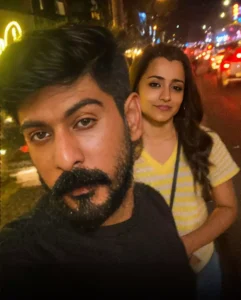
Deliberately mediocre feel, as if it was taken absentmindedly while pulling the phone from a pocket. The main character is uploaded person's face with sharp features, and Actress (Celebrity Name) stands next to him, I'm wearing the same dress as in the reference image. and (Celebrity Name) wearing casual dress, imperfect moment. The background shows a lively night market at night, with neon lights, traffic, and blurry figures passing by. The overall look is intentionally plain and random, capturing the authentic vibe of a poorly composed, spontaneous iPhone selfie.
Get Your Photo Ready :
First of all, decide which celebrity, influencer, or famous actor you want to take a selfie with. This is the most important step. Once you’ve made your choice, find a clear and high-quality photo of their face. Make sure the celebrity’s face is clearly visible in the image that’s what matters most.
Next, you need to prepare your own photo. Try to match your face position and angle with the celebrity’s photo. Don’t worry about the body AI will automatically generate the body to fit the scene. What’s important is that both faces are clearly visible and facing in a natural direction for a selfie.
Once you have both photos ready, we’ll combine them using ChatGPT and AI tools. With the right prompts and setup, creating a realistic and aesthetic selfie with your favorite celebrity becomes super easy. So, keep both images prepared we are about to start!
How To Use Chatgpt Selfie With Celebrity Ai Photo
For every image you create, a specific prompt will be provided. Different styles require different prompts, so you’ll get a unique prompt for each look or theme you want to try. All you need to do is copy the given prompt.
Next, you’ll see a chat button click on it. This will take you to the website where the AI editing happens. If you’re new there, you’ll need to sign up; otherwise, just log in with your existing account.
Once you’re logged in, upload your own photo along with the photo of your favorite celebrity or actor. Make sure your photo is placed first this helps the AI identify the main subject correctly. After that, the AI will do the rest and generate a stunning, realistic selfie with your favorite star.
The celebrity’s photo should be uploaded in the second place. After that, paste the prompt you copied earlier into the prompt box and click on the Generate button. The AI will start processing your image, and within a few moments, your selfie will be created.
Now, when the image is ready, you might notice that your face doesn’t look exactly right. Sometimes the face may appear slightly distorted or mismatched. This usually happens because you’re not a public figure, so the AI can’t automatically recognize or align your features perfectly like it does with celebrities. But don’t worry we’ll also cover how to fix and improve your face in the image later in this article.
At The End
As mentioned earlier, you can also refine and perfectly match your face in the generated image. The easiest way to do this is by using a tool called Remaker AI. Here’s how:
- Go to the Remaker AI website.
- You’ll see multiple features scroll down and select the Face Swap option.
- First, upload the selfie image you created using ChatGPT (the one with the celebrity).
- In the second upload section, add your original photo the same one you used during the generation.
- Now click on the “Self” option.
Within a few seconds, Remaker AI will adjust and swap the face with more accuracy. The final image will have your face perfectly matched, making it look just like a real selfie with a celebrity